
One of the powerful traits of function as a service is you can execute your function using different triggers, in this article we will go through the different triggers' chalice support.
Scheduled event
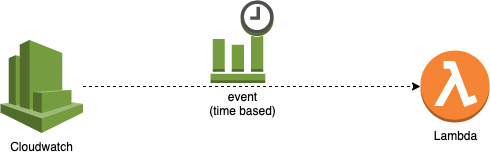
The cloudwatch scheduled events is one of the powerful triggers for a lambda, it is attractive for moving crons to the serverless realm, and for scheduled ETL jobs as well. Here is 4 different forms you can schedule a lambda to run using chalice.
app = chalice.Chalice(app_name='chalice-scheduled-event-demo')

@app.schedule('cron(15 10 ? * 6L 2002-2005)')
def cron_handler(event):
    pass

@app.schedule('rate(5 minutes)')
def rate_handler(event):
    pass

@app.schedule(Rate(5, unit=Rate.MINUTES))
def rate_obj_handler(event):
    pass

@app.schedule(Cron(15, 10, '?', '*', '6L', '2002-2005'))
def cron_obj_handler(event):
    pass
The Chalice.schedule() method accepts either a string or an instance of Rate or Cron. You can use the schedule() decorator multiple times in your chalice app, each one will result in a different lambda function.
CloudWatch event
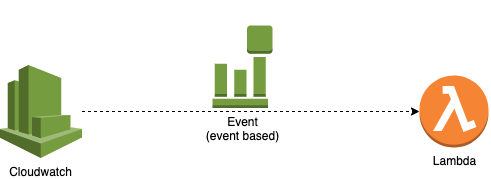
Cloudwatch events allows you to extend your lambda triggers to many different events. for example you can trigger your lambda to run upon code commit.
app = chalice.Chalice(app_name='chalice-cloudwatch-event-demo')

@app.on_cw_event({"source": ["aws.codecommit"]})
def on_code_commit_changes(event):
    print(event.to_dict())
Check the CloudWatch Event pattern docs for additional syntax and examples https://amzn.to/2OlqZso
S3 event
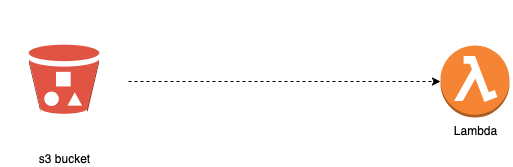
S3 buckets are used for file storage, your setup might require you to run certain processes after a file has been uploaded, for example scan it. or resize it for example. these processes can sit in a single or multiple lambda functions. You can use s3 chalice to write a lambda function that will be triggered when a certain file is uploaded to the s3 bucket.
app = chalice.Chalice(app_name='chalice-s3-event-demo')

app.debug = True

@app.on_s3_event(bucket='mybucket-name',
                 events=['s3:ObjectCreated:*'])
def handle_s3_event(event):
    app.log.debug("Received event for bucket: %s, key: %s",
                  event.bucket, event.key)
SNS event
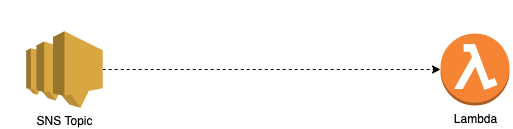
You can use chalice to setup your lambda as a subscriber for an SNS topic push notifications, just by defining the name of the topic in the decorator.
app = chalice.Chalice(app_name='chalice-sns-event-demo')

app.debug = True

@app.on_sns_message(topic='my-demo-topic')
def handle_sns_message(event):
    app.log.debug("Received message with subject: %s, message: %s",
                  event.subject, event.message)
SQS event
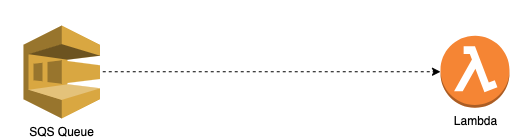
You can use chalice to setup your lambda as a consumer for an SQS queue messages, just by defining the name of the SQS in the decorator, and the number of messages you can consume as the batch_size.
app = chalice.Chalice(app_name='chalice-sqs-event-demo')

app.debug = True

@app.on_sqs_message(queue='my-queue', batch_size=1)
def handle_sqs_message(event):
    for record in event:
        app.log.debug("Received message with contents: %s", record.body)
Kinesis and DynamoDB stream events
Right now Chalice doesn't support both Kinesis and DynamoDB stream yet, but the proposal here https://github.com/aws/chalice/issues/987 mentions it is planned for the next release. which is a good feature for the data teams to build ETL jobs based on these events.